A slow website silently kills sales. And visitors don’t complain about it, they just leave. Your ranking drops in search results. For small businesses and start-ups, this can mean lost revenue every single day.
Nowadays speed is not just a good to have option, it’s a business survival factor.
This wordpress website speed optimization checklist 2026 will help you enhance page loading speed, Core Web Vitals, rank higher on google, and better user experience without needing any technical knowledge.
Why website speed matters more than ever in 2026
Today users expect fast and smooth experience while browsing a website. If your site takes more than 3 seconds, many visitors will leave before seeing your services.
Slow sites causes :
- Lower ranking in Google.
- Low Core Web Vitals Scores.
- High bounce rate.
- Fewer leads.
- Poor brand perception.
Now Google rewards disproportionately websites which are fast especially on mobile. If you want to optimize your WordPress site for Google ranking, then speed optimization is essential.
WordPress website speed optimization checklist 2026
Use the following step by step checklist to enhance wordpress site speed and performance.
1. Choose fast and reliable hosting
Your hosting provider plays the most important role for your website performance .
Prefer hosting that offers :
- SSD or NVMe storage.
- Built-in cashing.
- Latest PHP version.
- Data centres near your target audience.
- Good uptime guarantee.
Real example :
A mid size e-commerce store moved from low-cost hosting to a better hosting which provides, NVMe storage, caching and CDN features, reduced load time from 5 seconds to under 2 seconds without any other changes.
2. Use a lightweight theme
Heavy themes which provides animations, sliders and page builders often slow down sites.
Choose themes that are :
- Clean and minimal.
- Mobile optimized.
- Regularly updated.
- Compatible with other plugins.
- Good uptime guarantee.
Lightweight themes uses less code which helps to improve loading speed optimization immediately.
3. Install a caching plugin
Caching stores a static version of your pages so the server doesn’t need to create them every time they are requested.
Benefits of caching :
- Faster page delivery.
- Reduced server load.
- Improved user experience.
- Better Core Web Vitals Score.
Most performance optimization guides consider caching the most important fix for slow sites.
4. Optimise images properly
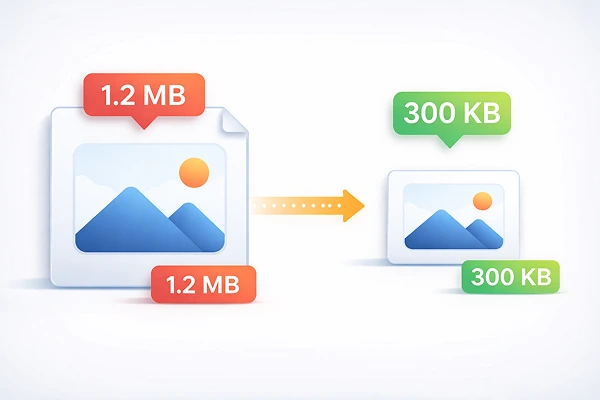
Large size images are one of the biggest reasons for slow wordpress websites.
Before uploading images :
- Resize to actual display size.
- Compress images.
- Use formats like webp or AVIF.
An optimized image can be 80% smaller without visible quality loss.
Business Scenario :
A Real estate site with large property photos reduced page load time by 3 seconds after proper image optimization.
5. Use a content delivery network (CDN)

A CDN stores copies of your website on different servers around the world. When someone visits your site, content loads from the nearest server, not your original hosting location.
Benefits :
- Faster loading around the world.
- Reduced latency.
- Improved reliability.
- Better performance during heavy traffic.
This is essential if you want to target audience of multiple countries.
6. Remove unnecessary plugins
Use of large number of plugins reduces website speed and enhances security risks.
Audit your plugins regularly :
- Replace heavy plugins with lightweight alternatives.
- Keep only what adds real value.
A clean plugin list is a key part of any wordpress performance checklist.
7. Minify CSS, Java script, and HTML
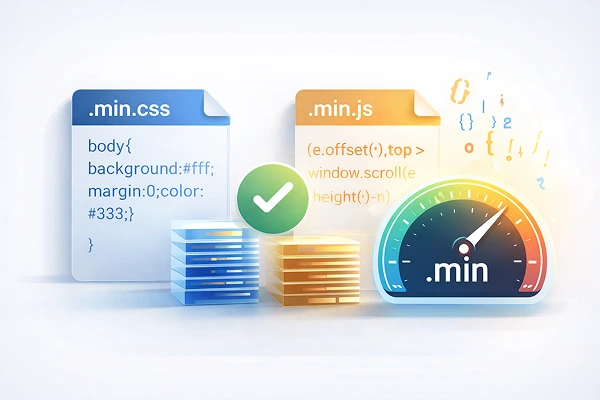
Minification removes extra spaces, comments and unnecessary code.
This process reduces file size and increases loading speed.
Popular speed optimization plugins can handle this task efficiently.
Be aware, aggressive settings can sometimes break layouts. Always test after changes.
8. Enable lazy loading
Lazy loading delays loading of images and videos until they are visible on screen.
This setting significantly improves initial load time.
This feature is very useful for :
- Long pages.
- Blog post.
- Portfolio sites.
- E-Commerce product listings.
Lazy loading reduces wordpress page load time and improves mobile experience.
9. Optimize your database

Over time, WordPress database collect unnecessary data :
- Past revisions
- Spam comments
- Trash items
- Expired transients
Cleaning your database reduces server work load and increases site performance. Schedule periodic cleaning of unnecessary files to keep things running smoothly.
10. Use the latest PHP version
PHP powers wordpress behind the scenes.
Newer versions deliver :
- Improved performance
- Better security
- Lower resource usage
Updating PHP can significantly improve wordpress performance without affecting design or content.
11. Reduce external scripts
Sometimes third party scripts slow websites more than internal elements.
Common issues :
- Excessive tracking tools
- Social media widgets
- External fonts
- Chat widgets
- Ad scripts
Keep only scripts which are important for your business.
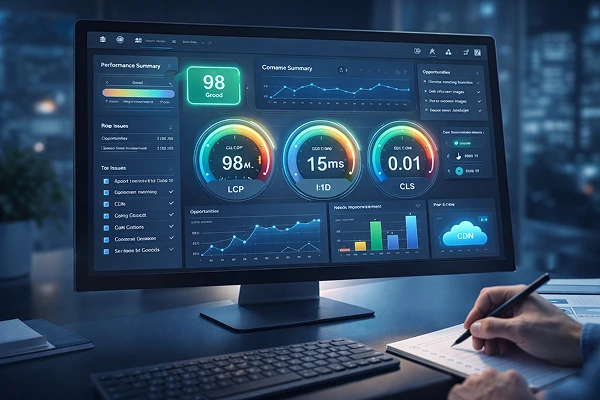
12. Optimize for Core Web Vitals
Google’s core web vitals measure real user experience.
Key metrics include :
- Loading performance
- Visual Stability
- Interactivity
Improving these important metrics will help you in wordpress core web vitals optimization and search rankings.
Focus on :
- Faster Largest Contentful Paint (LCP)
- Reduced Layout Shifts
- Quick interaction response
Common mistakes that make wordpress site slow
Using heavy page builders without optimization
Look for page builder plugins which are light weight and uses less code.
Ignoring mobile performance
At least 70% visitors come from mobile devices, so a site which is fast on desktop but slow on mobile will lose traffic and ranking.
Not testing speed regularly
Performance changes as you add content, plugins, so it is important to test your site at least once in a month.
Uploading unoptimized images
Use appropriate size and compressed images don’t just upload from phone or camera.
Real world business impact of faster sites
Speed improvements directly impacts revenue.
Example 1 : Local clean service business
After implementing all the basic speed optimization techniques :
Bounce rate reduced by 40%.
Call inquiries increased.
Google search rankings improved.
Example 2 : Online Clothing store
Reducing mobile load time from 5 seconds to 2 seconds resulted in :
Improved conversion rates.
Lower cart abandonment.
Better ad performance.
Actionable takeaways
If you want fast site, then follow the important steps :
- Install a caching plugin
- Compress and resize images
- Remove unused plugins
- Enable lazy loading
- Upgrade hosting if necessary
Event this five steps can significantly improve performance.
Conclusion
Website speed is a very important factor that you cannot ignore. It directly affects visibility, credibility and revenue.
Following this WordPress website speed optimization checklist 2026 will help you address slow loading issues, improve core web vitals, and deliver a better user experience.
Making your wordpress website fast in 2026 is the best thing you can do to grow your business online.
Frequently Asked Questions
1. What is a good page load time for a wordpress website in 2026?
Better if it is under 2 seconds. Faster websites performs better in google ranking and conversions.
2. Can plugins alone fix a slow wordpress website?
Plugins help, but hosting plan, images, theme selection and scripts also play major roles.
3. How often should I optimize my site speed?
Check performance monthly and after major content updates, redesign or plugin installations.
4. Does website speed affect SEO rankings?
Yes. Google uses website speed and core web vitals as ranking factors.
5. Is managed wordpress hosting worth it for performance?
Yes it works well for most businesses. It offers optimized servers, caching, and support tailored for wordpress.